
What it checks
What a careful visitor would try.
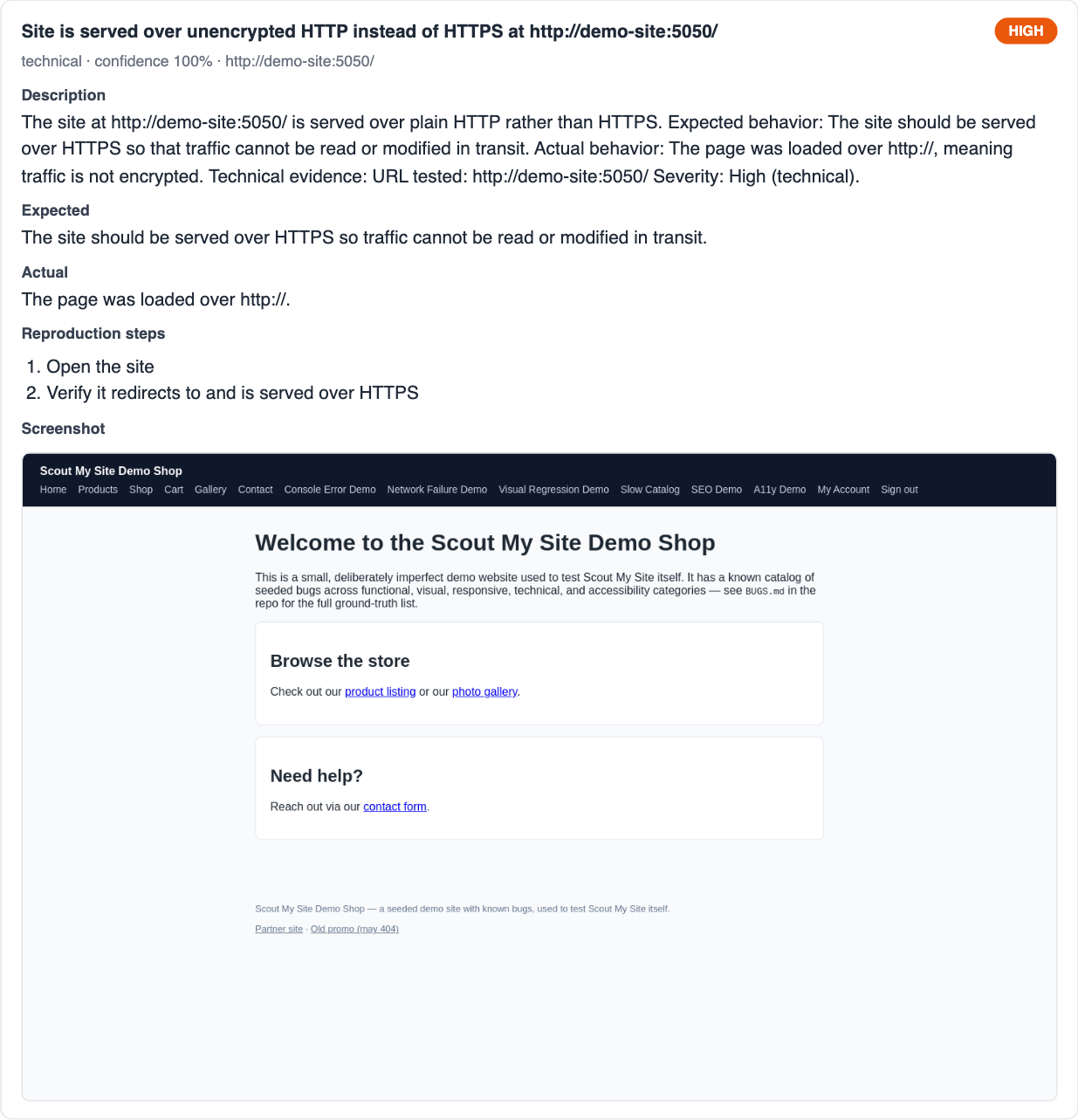
Every check runs in a real browser. Live checks that fail are re-run before they reach you, and findings come with a screenshot of the affected page.
What Scout My Site checks
Pages, links and images
- Every page loads and shows real content
- Broken internal and external links
- Broken or missing images
- Pages that fail to load or show an error
Forms and main buttons
- Forms accept valid input, reject missing required fields, and the send button works (we stop the message before it leaves, so nothing is delivered)
- Your main calls to action, like “Book a demo” or “Contact us”, lead somewhere that works
Search, cart and sign-in
- Site search finds things that are on your site, and handles a search with no results politely
- A product can be added to the cart, its quantity changed and the item removed
- With your test login: sign-in works, and wrong details are refused with a clear message
Phones and screens
- Layout fits a phone-width screen with no sideways scrolling
- Content that spills off the screen is flagged
- Firefox and Safari engine checks on the Daily plan
Speed and technical health
- Page speed measures that search engines care about
- Script errors that quietly break features
- Background requests that fail, such as prices, maps and forms
Accessibility
- Colour contrast, missing image descriptions, unlabelled controls
- Keyboard use: Tab reaches your links and buttons, and you can see where you are
- The common accessibility problems an automated check can find. This is not a full accessibility audit or a legal certification
Search visibility and security basics
- Page titles and descriptions that search engines show
- HTTPS, security headers and cookie settings
- Mixed content (insecure files on secure pages)
After the scan: fix it and prove it
- A “key journeys” list: what a visitor must be able to do (search, forms, cart, main buttons), what we tried, and what happened
- Re-test a problem after you fix it, without running a whole scan
- Where to click in WordPress, Shopify, Wix, Squarespace or Webflow, when we recognise your platform
- A ready ticket for your developer, and a prompt to paste into ChatGPT, Cursor or Claude
- An optional public score page and badge for websites you own
Changes over time
- Screenshots compared with your previous scan to catch unexpected visual changes
- Weekly and Daily plans: what's new, what's fixed, what's unchanged since last time
- Automatic scans every week or every day, with alerts when something breaks
Watched in between (Daily plan)
- Your home page is requested every 10 minutes
- An email when the site is down (after two failed checks in a row), and again when it’s back
- A warning 14 and 3 days before your security certificate expires
Made for your developer too
- One link to forward, no account needed
- Each problem with the exact element, the failing request or message, and steps to reproduce
- A “copy as ticket” button for your issue tracker
How AI is used
AI explains. Fixed checks decide.
Bugs come from fixed checks in a real browser and the score is calculated by fixed rules. AI helps in five places:
- Page types. It recognises what kind of page each one is (booking, pricing, service) so it gets the right tests.
- Main buttons. It picks each page's one or two key buttons so we can test them.
- Plain-language wording. It rewrites findings so a non-developer can understand them.
- Your summary. It tailors the “what to fix first” summary to your site.
- Unclear visual changes. When a screenshot comparison is ambiguous, it gives a second opinion, and that finding is marked as lower confidence.
Page text, and for visual checks screenshots, are sent to Anthropic's Claude to do this. Test-account passwords are never sent. If the AI is unavailable you still get a full report.
Limits, honestly stated
No checkout or payments
We never pay for anything or place an order. Cart testing stops at the cart.
No single sign-on
Pages behind single sign-on, two-step verification or CAPTCHA can't be tested yet.
Not a penetration test
We look at basic security settings, not deep vulnerabilities.